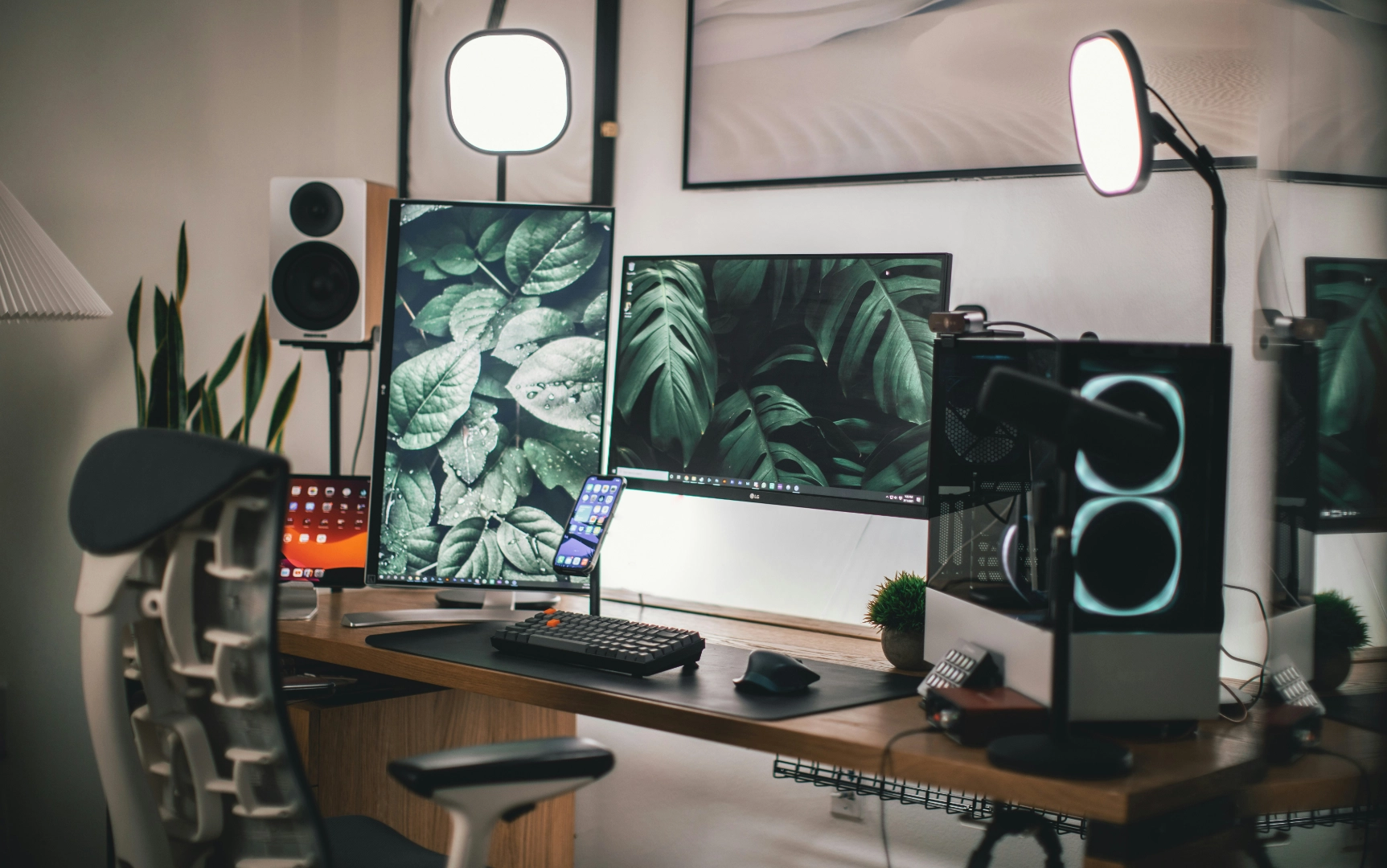
My Go-To Design Toolkit: How I Actually Get Stuff Done Every Day
Hey there, fellow creatives! As a multidisciplinary designer, my days are a whirlwind of client projects, whipping up content, and nurturing my own brand. To keep all those plates spinning without dropping a single one, I lean heavily on a small, but mighty, creative stack. These aren’t just tools; they’re the friends that help me stay efficient, push my creative boundaries, iterate at lightning speed, and ultimately, deliver work that truly feels like me.
If you’re a creative soul, a freelancer hustling hard, or just someone looking to sharpen your visual game, pull up a chair. Here are five design tools I genuinely use every single day.
1. Canva Pro: My Everyday Design Sidekick
Canva has seriously been a game-changer for me when it comes to quick, impactful design. Whether I’m throwing together a quick mockup, designing a social media post on the fly, or just trying to visually explain an idea to a client, it just… works. It’s the dependable friend who always has your back.
Why I can’t live without it:
- Ready-made templates for everything: Seriously, the time-saver!
- Instant brand kits: A lifesaver for keeping client branding consistent.
- Magic features: The Magic Resize, Background Remover, and those cool AI text-to-image tools? Pure magic.
Try Canva Pro here: canva-link.com
2. Envato Elements: My Creative Treasure Chest
Think of Envato Elements as my personal creative treasure chest. It’s my first stop whenever I need high-quality mockups, cool fonts, unique textures, or ready-to-use design packs. From sprucing up pitch decks and client collateral to jazzing up my TikToks and blog posts, it’s always got what I need.
Why it’s a staple in my stack:
- Unlimited downloads: It’s like an all-you-can-eat buffet of design assets!
- Seriously good quality: No generic-looking templates here, thank goodness.
- Always fresh: Their library is constantly updated, so there’s always something new to discover.
Get Envato Elements access here: envato-link.com
3. Elementor Pro: My Web Design Superpower (No Code Required!)
As a designer who also enjoys dabbling in a bit of web work, Elementor Pro is my absolute secret weapon for WordPress. It’s how I built pages just like this one – no messy code, just pure, beautiful drag-and-drop flow. It makes web design feel less like a chore and more like a creative playground.
Why it’s a winner for me:
- Clean layout control: Finally, professional-looking websites without the developer headaches!
- Plays nice with WordPress: Seamlessly integrates with my blog setup.
- Perfect for: Building stunning portfolios, high-converting landing pages, and sleek client sites.
Explore Elementor Pro: elementor-link.com
4. Creative Market: My Go-To for Unique Finds
If Envato Elements is the big department store for design, Creative Market is definitely that charming indie art shop down the street. I often pop in here to grab those truly unique fonts, quirky icons, or special templates that give my projects a more handmade, one-of-a-kind vibe. It’s where I go when I want something a little extra special.
Why I love Browse here:
- One-off purchases: No subscription pressure, just buy what you need.
- Supporting awesome indie creators: It feels good to support fellow artists!
- Find those hidden gems: Perfect for snagging unique typefaces or textures that stand out.
Check out Creative Market here: creative-market-link.com
5. Adobe Creative Cloud: The Classics Never Die
Okay, I’d be totally fibbing if I said Photoshop and Illustrator weren’t still major players in my daily workflow. For those really deep edits, intricate mockups, and all the crucial final touches, my trusty Adobe tools still hold a very special, irreplaceable place. They’re the old friends who always deliver when precision is key.
When I absolutely reach for Adobe:
- Branding projects: When every single pixel needs to be perfect.
- Detailed work: Editorial spreads and complex typography.
- Video editing: Premiere Pro is my go-to for bringing my videos to life.
Explore Adobe Creative Cloud: adobe-link.com
💼 A Peek Inside My Creative Day
So, there you have it! This toolkit is essentially the engine that keeps my creative day chugging along – from crafting blog posts to building brands to tackling client briefs. If you’re just starting your own design adventure or looking to level up your creative arsenal, I genuinely recommend giving these tools a try.
🖇️ What’s In Your Toolkit?
Got any tools you absolutely swear by? I’m always on the hunt for new discoveries! Drop them in the comments below or shoot me a DM on TikTok – I’m always keen to hear what other creatives are loving.
And seriously, thank you for following my journey and for all your amazing support. Your encouragement truly fuels the content I share, from honest tips to those deep dives into creativity. It means the world!
✨ BONUS: Want My Complete Toolkit?
Ready for even more? Sign up for my email list, and I’ll send you “The Designer’s Toolkit” PDF – it’s a completely free resource packed with bonus tools, plugins, and gear I use every single week.
📩 [Subscribe Here]
This article was written by Ken Paul, with the assistance of AI-based drafting tools used for structural and editorial refinement. All ideas, arguments and conclusions remain solely his own.